Template:Mapmark: Difference between revisions
Jump to navigation
Jump to search
No edit summary |
|||
| Line 5: | Line 5: | ||
<noinclude> | <noinclude> | ||
== Parameters == | == Parameters == | ||
The first parameter is the '''longitude''' ( | The first parameter is the '''longitude''' (horizontal position) and the second parameter is the '''latitude''' (vertical position). | ||
=== Marker Positions === | === Marker Positions === | ||
{| class="wikitable" | {| class="wikitable" | ||
Revision as of 16:23, 26 September 2017
Template:Mapmark is used for marking a map using input coords.
How to Use Template:Mapmark
- This template can be added to a page by typing the following in the page's code with any applicable parameters inserted after the name:
{{Mapmark}}
Raw Example of Template:Mapmark

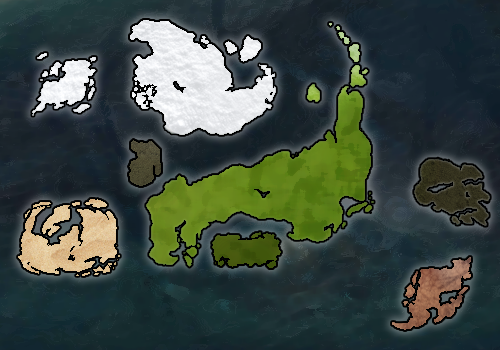
Parameters
The first parameter is the longitude (horizontal position) and the second parameter is the latitude (vertical position).
Marker Positions
| Location | Wikicoords | Game Coords |
|---|---|---|
| Center | {{mapmark|236|139}} | 63471 x 52976 |
| NW | {{mapmark|4|-16}} | 11100 x 89561 |
| NE | {{mapmark|475|-16}} | 115843 x 89561 |
| SW | {{mapmark|4|294}} | 11100 x 16391 |
| SE: | {{mapmark|475|294}} | 115843 x 16391 |
- to find others, use the formulas below
Conversion Formula
To convert in-game coords to coords on this map, use the following formulas (x is the in-game coordinate):
- First Coordinate (called LT in-game):
(x - 11100) / 104743 * 471 + 4
- Second Coordinate (called LG in-game):
(x - 16391) / 73170 * -310 + 294
Example
The Animator discipline dropper is at 42360x45700. To plot this location on Mapmark:
 (42360 - 11100) / 104743 * 471 + 4 = 144.56
 (45700 - 16391) / 73170 * -310 + 294 = 169.82
So to get a map showing this location with this template, you would type {{mapmark|144.56|169.82}}.